
How to Automate Customer Support Without Losing the Human Touch
The safest way to automate customer support is not to replace your team. It is to remove repetitive work so people can spend more time on the conversations that need judgment.
Use a few examples from your own inbox first. If the drafts, routing, and handoff feel natural, then expand automation safely.
Key Takeaways
- Automate repetitive support work first, not sensitive decisions.
- Keep humans involved for billing, refunds, complaints, and account issues.
- Measure success by better answers and faster resolution, not AI volume alone.
- Start with intake, AI drafts, review, and knowledge capture.
Customer support automation works best when it removes repetitive work without removing judgment. The mistake many businesses make is trying to automate everything at once. That creates awkward replies, frustrated customers, and support agents who stop trusting the system.
A better approach is to automate the repeatable parts first: intake, categorization, acknowledgments, saved replies, status updates, and knowledge-base suggestions. Humans should still handle unclear, emotional, expensive, or account-sensitive situations.
Step 1: Map the support requests you already receive
Before choosing any software, collect the last 50 to 100 support conversations and group them by theme. Most small teams discover that a large share of tickets repeat the same patterns: pricing questions, setup problems, delivery updates, login issues, refunds, account changes, and “how do I” questions.
This map tells you what to automate first. If 30% of messages ask the same setup question, an AI-assisted answer and a clear help article can save more time than a complicated routing rule.
Step 2: Separate safe automation from risky automation
| Good automation target | Needs human review |
|---|---|
| Confirming a message was received | Refund disputes |
| Suggesting a help article | Billing complaints |
| Drafting a reply from approved knowledge | Angry customer escalation |
| Tagging common issues | Security or account-access problems |
Step 3: Build a simple workflow
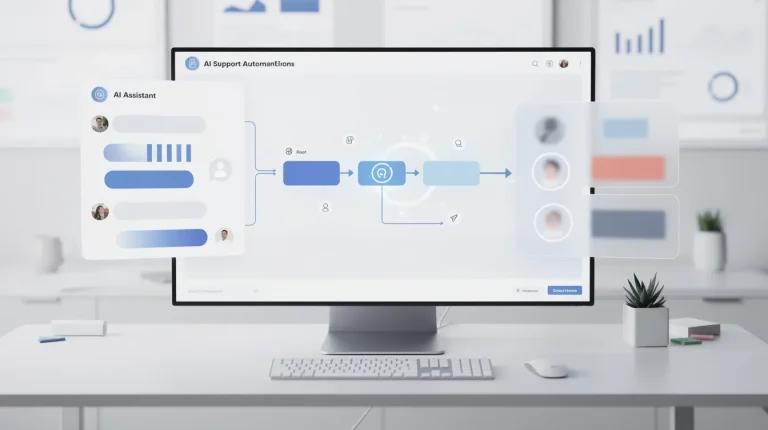
- Customer sends a message.
- The helpdesk captures the request in one place.
- AI suggests a category and draft response.
- An agent reviews and personalizes the answer.
- The final response updates your knowledge base if the question repeats.
This is the workflow most teams should implement before trying advanced automation. It protects the customer experience while still reducing manual effort.
Recommended next step
Use SparrowDesk to test safe support automation
If your goal is to automate intake, AI-assisted drafts, and repeat-question handling without losing human review, SparrowDesk is a relevant workflow to test.
Test SparrowDesk for support automation
Affiliate disclosure: we may earn a commission if you buy through this link, at no extra cost to you.
Step 4: Measure the right numbers
Do not measure automation success only by how many messages the AI handles. Measure whether customers get better answers faster. Useful metrics include first response time, resolution time, reopen rate, number of repeated questions, and customer satisfaction trends.
If automation lowers response time but increases confused follow-up messages, the workflow needs better knowledge or more human review.
What to avoid
- Do not let AI answer sensitive billing or account issues without review.
- Do not automate before documenting your common answers.
- Do not create so many categories that agents ignore them.
- Do not judge success in one day; review trends over several weeks.
Check whether your support is ready for automation
Automation works poorly when your support process is already unclear. Before adding AI, make sure your team agrees on basic rules: who answers new requests, what counts as urgent, when to escalate, and which answers are approved. If those rules are missing, AI will only speed up the confusion.
A good readiness test is to ask whether two different team members would answer the same common question in roughly the same way. If the answer is no, document the approved response first. AI performs best when it can work from clear, reusable knowledge. It performs worst when every question depends on hidden context in one person’s head.
A 30-day rollout roadmap
| Timeframe | Focus | Goal |
|---|---|---|
| Days 1–7 | Centralize incoming requests and tag common issues. | Understand what customers ask most often. |
| Days 8–14 | Create approved answers for the top questions. | Give AI safe material to suggest from. |
| Days 15–21 | Use AI drafts with human review. | Reduce writing time without losing quality. |
| Days 22–30 | Review metrics and adjust workflows. | Improve response speed and reduce repeated follow-ups. |
This rollout keeps automation controlled. It also gives your team time to trust the system. If agents see that AI helps them write faster without forcing robotic answers, they are more likely to use it consistently.
Quality control rules for AI replies
Every automated or AI-assisted support workflow needs guardrails. Avoid letting AI promise refunds, quote policies from memory, diagnose account-specific issues, or respond to angry customers without review. Use approved snippets, clear escalation triggers, and a short review checklist before replies go out.
A useful checklist is: does the reply answer the actual question, avoid invented details, use the right tone, include the next step, and leave a path to a human if the issue is not solved? If the answer fails any of those checks, the agent should edit it before sending.
Final workflow recommendation
Start with AI-assisted drafts, shared inbox organization, and repeated-question handling. That gives you real time savings without risking the robotic experience customers dislike.
Human-touch QA checklist
Before you let any automation answer customers at scale, review the conversation from the customer’s side. The answer should be clear, specific, and calm. It should not sound like a legal disclaimer, a generic chatbot, or a support agent trying to avoid responsibility. Good automation still feels like your company has paid attention.
Use a small QA sample every week. Read ten automated replies, five escalated conversations, and five conversations where the customer asked again after the first answer. If the AI repeats itself, misses context, or sounds too cold, fix the source content or the tone instructions before expanding the workflow.
Questions small teams ask about AI customer support automation
What customer support tasks are safest to automate first?
The safest starting points are FAQs, order-status guidance, opening-hours replies, ticket tagging, assignment rules, and suggested response drafts that a human can review before sending.
How do you keep automated support from sounding robotic?
Use clear templates, short answers, customer-specific context, and human approval for sensitive replies. Automation should remove repetition, not remove empathy or ownership.
Which support conversations should stay human?
Complaints, refunds, cancellations, billing disputes, urgent delivery problems, and emotionally charged messages should stay human-led or require a human approval step.
How can a team measure whether automation is working?
Track first-response time, resolution time, reopened tickets, customer satisfaction, escalation rate, and the percentage of AI-assisted replies that agents edit before sending.
Extra practical checks before you publish the workflow
Before this advice becomes live process, test it against the messy situations your team sees every week. Use real examples involving status updates, account changes, password help, billing follow-ups, routing questions, plan details, and repetitive troubleshooting. The point is not to make the AI answer everything. The point is to know exactly which conversations it should answer, which ones it should clarify, and which ones it should hand to a human with context.
Also review the source material behind the workflow. If your team is relying on ticket macros, SOPs, CRM fields, help articles, billing rules, routing rules, and examples of safe versus unsafe actions, someone needs to own those pages and keep them current. AI support gets worse when policies, product details, or internal notes drift out of sync. A small monthly review is often enough to prevent most quality problems.
30-day rollout plan
In week one, review recent conversations and choose the narrow workflow with the highest repeat volume and lowest risk. In week two, clean the knowledge sources and write the handoff rules. In week three, test at least twenty real customer questions, including unclear and emotional examples. In week four, launch to a controlled percentage of conversations and review every escalation reason. This slower rollout gives your team useful evidence before expanding automation across the whole support operation.
Use the review to decide what should be improved: the source content, the AI instructions, the handoff rules, or the tool itself. That discipline is what separates a useful AI helpdesk from a rushed chatbot experiment.
How to apply this to AI customer support automation without making the support experience worse
The practical way to use this advice is not to automate the whole inbox on day one. Start with the questions your team already answers the same way every week, then compare the AI draft against the answer a careful human teammate would send. The goal is not just speed. The goal is a faster reply that still understands the customer, gives the next step clearly, and knows when the issue should be handed to a person.
For a small team, the safest rollout is usually a narrow one. Pick one queue, one product area, or one customer segment. Write down the exact situations where automation is allowed to answer, where it should draft for review, and where it must escalate. This keeps the system useful without letting it guess on billing, account access, refunds, angry customers, or edge cases that require judgment.
Review the first week of conversations carefully. Look for answers that sound correct but do not actually solve the problem, replies that ask for information the customer already gave, and responses that feel too robotic for your brand. Those observations are more useful than a generic feature list because they show whether the tool fits your real operation.
If the automation reduces repetitive work while keeping trust intact, expand it gradually. Add more knowledge base material, connect more inboxes, and refine handoff rules. If it creates confusion, pause and fix the source content before increasing volume. That discipline is what separates helpful AI support from a thin chatbot layer.