SparrowDesk vs Zoho Desk: AI Helpdesk Comparison for SMBs
SparrowDesk vs Zoho Desk: AI Helpdesk Comparison for SMBs should not be treated as another thin software list or generic AI explainer. For a small team, the real question is whether the support operation can become faster while still giving customers accurate answers, clear escalation, and a consistent brand voice.
Use a few examples from your own inbox first. If the drafts, routing, and handoff feel natural, then expand automation safely.
Key Takeaways
- Do not start with the tool. Start with the questions customers already ask every week and the sources your team trusts.
- Accuracy beats automation rate. A lower automation percentage with correct answers is better than high deflection with confused customers.
- Human handoff is part of the product. A good AI support workflow knows when to stop, summarize, and escalate.
- Chat and email both matter. Many small teams still receive their most important support through email, so web-chat-only automation may leave major gaps.
- Measure business outcomes. Track time to deploy, ticket reduction, agent adoption, channel coverage, cost predictability, and quality of AI handoff, not just the number of conversations touched by AI.
This guide is written for buyers comparing established helpdesk platforms with AI-first support tools before committing budget and migration time. It focuses on the practical decisions that affect day-to-day support: what content the AI can trust, which questions should be automated, when a human should step in, and how to measure whether the system is actually helping customers.
Why this matters
Most support teams do not struggle because every ticket is complex. They struggle because the same simple questions arrive again and again, mixed in with sensitive cases that need judgment. The queue fills with chat questions, shared inbox work, email queues, routing, help center answers, billing issues, product support, and escalation notes. Agents lose time switching context, customers wait longer than they should, and managers eventually start looking for automation.
The mistake is assuming that any chatbot or AI reply tool will solve the problem. A useful AI helpdesk has to do more than answer a question. It needs approved knowledge, channel coverage, escalation logic, and a way to improve after launch. If those pieces are missing, automation can make support feel faster on the surface but weaker underneath.
That is why the best approach is operational, not cosmetic. The article title may be SparrowDesk vs Zoho Desk: AI Helpdesk Comparison for SMBs, but the underlying decision is about how your team wants support to work over the next six to twelve months. If you only want a front-end widget, your checklist will be short. If you want fewer repetitive tickets, better agent focus, and reliable AI-assisted resolutions, the checklist needs to be stricter.
What to look for first
Before you compare tools, write down the support situations where automation would clearly help. Good first candidates are high-volume, low-risk questions with stable answers. Poor first candidates are emotional conversations, account-specific decisions, billing disputes, legal or compliance issues, and anything where the answer changes often.
For this topic, your first filter should be whether the system can work from trusted business knowledge. That may include current ticket exports, channel volume, escalation data, agent notes, help center docs, pricing pages, and must-have workflow requirements. If the tool cannot show where its answers come from, or if your team cannot easily update the source content, the support experience will eventually drift away from reality.
The second filter is workflow depth. Ask whether the AI can handle the whole path from intake to resolution: understand intent, ask clarifying questions, answer with the right tone, route the issue, update a field or property when safe, and hand over to a human with context. The more your team depends on manual copy-paste work today, the more valuable those workflow details become.
Comparison table: what matters most
| Decision area | What to check | Why it matters |
|---|---|---|
| Source quality | Use current ticket exports, channel volume, escalation data, agent notes, help center docs, pricing pages, and must-have workflow requirements. Remove old or contradictory pages before the AI sees them. | Prevents confident but wrong answers. |
| Handoff rules | Define when choosing the tool with the longest feature list instead of the one that matches the support workload and team capacity is likely and make escalation automatic. | Protects customer trust. |
| Channel fit | Check whether the workflow covers both chat and email, not just a website widget. | Avoids leaving half the queue untouched. |
| Agent workflow | Make sure the AI can summarize context and not force a human to reread the whole thread. | Saves time even when escalation happens. |
| Measurement | Track time to deploy, ticket reduction, agent adoption, channel coverage, cost predictability, and quality of AI handoff. | Proves whether automation is helping. |
Compare SparrowDesk as an AI-first helpdesk option
If you are comparing platforms, add SparrowDesk to the shortlist when grounded AI answers, chat and email coverage, brand tone control, and human handoff matter more than simply buying the biggest helpdesk suite.
A practical workflow
The safest implementation starts small. Choose one support area where the answers are repeatable and the business risk is manageable. For many teams, that means FAQs, order or account status guidance, onboarding steps, basic troubleshooting, or policy clarification. Do not begin with angry customers, refund disputes, or edge cases that already confuse human agents.
- Export real conversations. Pull a sample of recent tickets and group them by intent. Look for the questions customers ask in their own words, not only the categories agents use internally.
- Clean the source material. Update policy pages, help docs, Notion notes, PDFs, macros, and product information. Remove duplicates and mark any uncertain answer as human-only.
- Write handoff rules. Escalate when the customer is angry, the account needs a decision, the confidence is low, the answer involves money, or the customer asks for a person.
- Preview scenarios. Test normal questions, vague wording, multilingual phrasing, hostile messages, incomplete details, and questions the AI should refuse to answer.
- Launch with review. Watch early conversations closely. Improve the knowledge base and handoff rules before expanding to more topics.
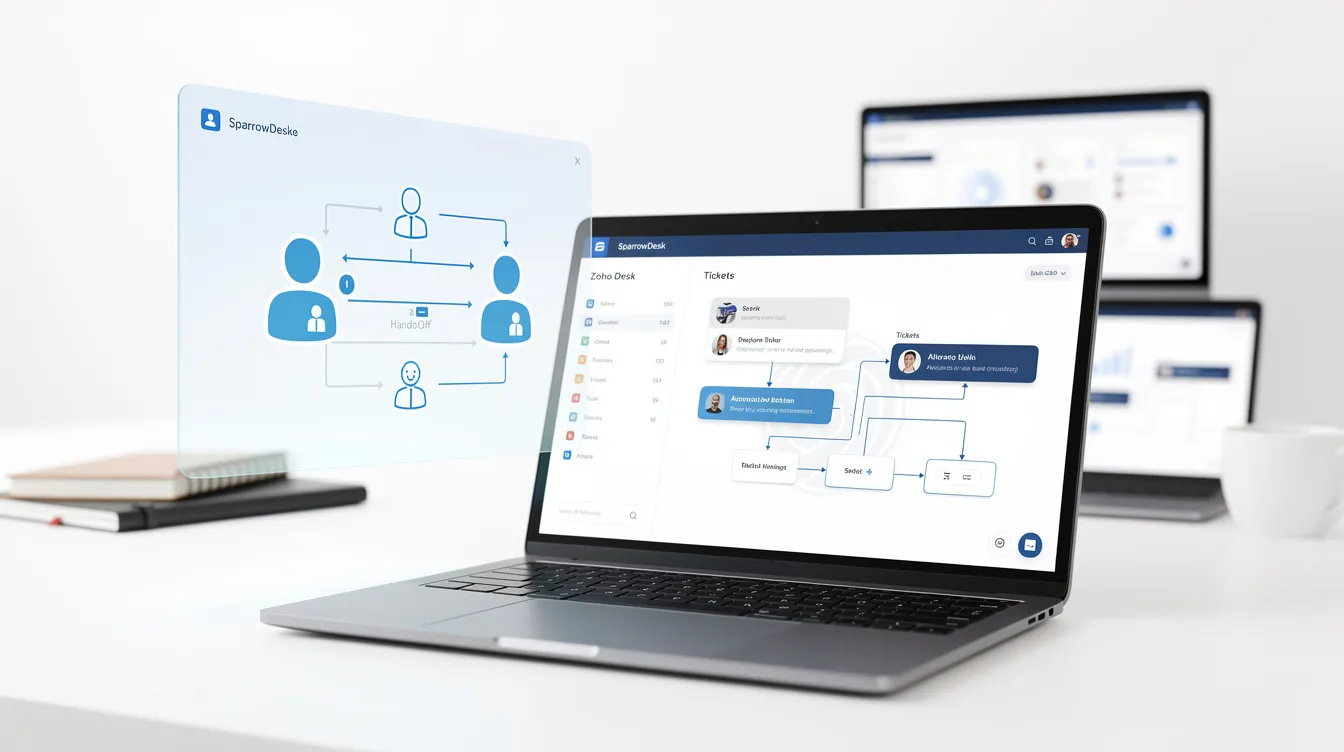
This is also where SparrowDesk can be useful as a practical test case. Its AI agent workflow is designed around business knowledge, chat and email support, tone control, and handoff rather than just a floating bot. That does not make it automatically right for every business, but it gives you a relevant benchmark for what an AI-first helpdesk should be able to do.
Decision checklist for helpdesk software evaluation
- Can the AI answer from approved company content instead of generic web knowledge?
- Can your team train it on current ticket exports, channel volume, escalation data, agent notes, help center docs, pricing pages, and must-have workflow requirements without rebuilding the whole knowledge base?
- Does it support the channels where customers actually contact you?
- Can you define human handoff rules for cases where choosing the tool with the longest feature list instead of the one that matches the support workload and team capacity?
- Can the AI keep answers aligned with your brand voice rather than sounding like a generic assistant?
- Can managers review conversations, spot gaps, and improve source content after launch?
- Does pricing still make sense if ticket volume, AI usage, or team seats grow?
- Can the tool help agents work faster even when the AI does not fully resolve the ticket?
Practical buyer-fit comparison scorecard
Mistakes to avoid with helpdesk software evaluation
1. Buying before you understand the queue
If you do not know which questions repeat most often, every product demo will look convincing. Spend one hour grouping real conversations before comparing tools. You may discover that the real opportunity is not a chatbot at all, but cleaner email routing, better documentation, or stronger handoff notes.
2. Training AI on messy content
AI support is only as reliable as the information it is allowed to use. If your refund policy appears in three different places with three different answers, the tool will not magically know which one is correct. Clean the content first, then automate.
3. Removing humans from sensitive moments
The goal is not to make customers fight harder to reach a person. It is to reserve human time for issues that need judgment. Clear handoff rules protect both the customer and the support team.
4. Measuring only deflection
Deflection can be useful, but it is not the whole story. A ticket that disappears because the customer gave up is not a win. Pair deflection with CSAT, reopen rate, escalation quality, and transcript review.
5. Treating brand voice as decoration
Tone matters because support is part of the product experience. A correct answer that sounds cold, dismissive, or off-brand can still damage trust. Choose tools that let you control how the AI speaks.
Use SparrowDesk as your practical comparison point
If you are comparing platforms, add SparrowDesk to the shortlist when grounded AI answers, chat and email coverage, brand tone control, and human handoff matter more than simply buying the biggest helpdesk suite.
Real examples to test
Use these scenarios before trusting any AI helpdesk with live customers. Ask the system a straightforward question, a vague version of the same question, a customer complaint, and a request that should be escalated. Then check whether the answer is accurate, whether the tone is right, and whether the AI knows when to stop.
- A customer asks a normal repeat question that should be answered from the help center.
- A customer gives incomplete information and the AI needs to ask one useful clarifying question.
- A customer asks for something outside policy and the AI must avoid making a false promise.
- A frustrated customer asks for a manager or a human agent.
- A multilingual customer asks a simple support question in a language your team sees regularly.
If the system handles those examples cleanly, it is much closer to being useful. If it fails, the failure tells you whether the problem is the tool, your documentation, or your handoff rules.
Questions small teams ask about helpdesk software evaluation
How long should it take to set up an AI support workflow?
A focused first workflow can often be planned in a few days if your documentation is ready. The slower part is usually cleaning source content and deciding escalation rules, not turning on the tool.
Should small teams automate every support channel at once?
No. Start with the channel and topic cluster that creates the most repeat work. Expand only after you have reviewed real conversations and confirmed that customers are getting useful answers.
What is the biggest quality risk with AI customer support?
The biggest risk is confident wrongness: an answer that sounds polished but is not grounded in your actual policy, product, or customer data. That is why business knowledge and review workflows matter.
Where does SparrowDesk fit?
SparrowDesk is worth reviewing when you want an AI-first helpdesk that can use company knowledge, support chat and email, control brand tone, and hand off to humans instead of acting like a standalone chatbot.
Final recommendation for helpdesk software evaluation
SparrowDesk vs Zoho Desk: AI Helpdesk Comparison for SMBs is not just a software decision. It is a support design decision. If you start with real tickets, trusted sources, handoff rules, and measurable outcomes, AI can reduce repetitive work without making customers feel abandoned.
The best next step is to pick one repeatable workflow, test it against your own conversations, and compare tools using the same scenarios. If SparrowDesk fits your channel mix and support style, include it in that test because it reflects the AI-first helpdesk model this article is built around.